How to Test Heavy-Duty Shop Management Software With a Real Change Order

Summary
Most demos show a clean repair from start to finish. Your shop sees jobs that grow after the customer says yes and parts that show up late. This guide lists five things your software should handle when the work changes mid-job.
It’s 10:30 AM on a Tuesday. A truck you’ve got in the bay for a routine PM (oil, filters, a quick brake inspection) suddenly turns into a full brake job. The drums are shot, the customer wants an immediate estimate, and the wheel seals are on backorder. You’re now juggling a revised estimate, a parts hunt, and a customer who’s calling every half hour.
If that sounds like your Tuesday, this guide is for you. Most buyer’s guides for heavy-duty shop management software will walk you through a checklist of features: work orders, invoicing, inventory. And sure, those are important.
But the real test of a system isn’t how it handles a simple, straight-line repair. It’s how it handles the chaos of a mid-job change order, meaning added work after the customer has already authorized the original repair. Because in a heavy-duty shop, the only constant is change.
Still building your shortlist? Start with our Shop Management Software Buying Guide for the full feature checklist, then come back here to test your top picks.
What Heavy-Duty Shop Need (That Most Reviews Skip)
Every software vendor will show you a clean demo where a truck comes in, you write an estimate, the customer approves, the tech does the work, and you hand over the keys. That’s great, if you live in a fantasy world where nothing ever goes wrong.
Work orders, invoicing, and inventory are the basics. The real differentiator is flexibility in mid-job changes.
Can you add a new action item without closing and reopening the entire service order? Does the parts inventory update right away when you swap a backordered part for an in-stock alternative? Can the customer authorize the added work right away in their customer portal, or do you have to play phone tag for half the day?
The software that makes you start over from scratch when a job changes isn’t saving you time. You need a system that keeps up with the work.
The 5 Deal-Breaker Capabilities for Change-Order Workflows
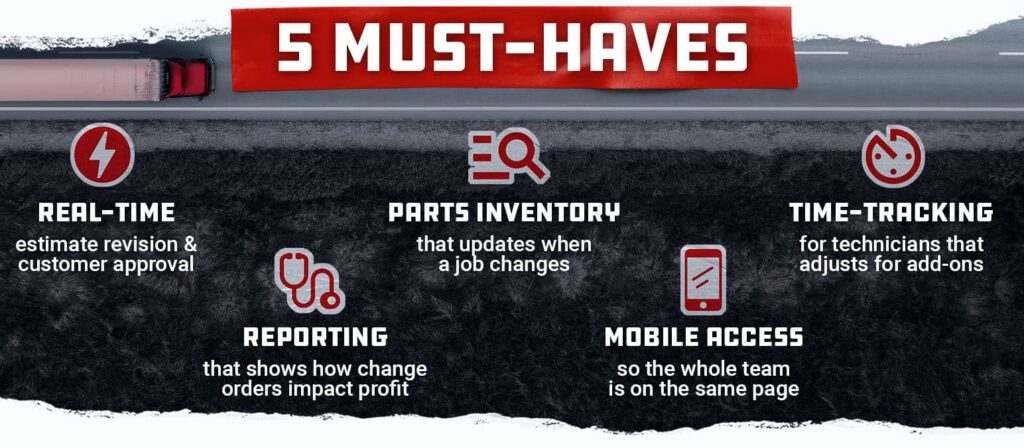
When you’re evaluating software, don’t just ask “Can it do work orders?” Look for these five specific capabilities. If a system can’t deliver on these, or makes it more challenging, then keep looking.
1. Real-time estimate revision & customer approval (without starting over)
The worst thing a system can do is force you to close a service order and create a new one just because the scope of work changed.
Look for software that lets you add action items right to the existing service order. It should recalculate the total and send the revised estimate to the customer for authorization without breaking the workflow.
2. Parts inventory that updates when a job changes
When you swap a backordered part for a different brand, your inventory count needs to update in real time. The same goes for cores.
Look for a system that tracks cores separately from the part: the inherent core charge when you buy and sell, and the dirty core credit when the used part comes back. In Fullbay, you flag a part as having a core when you purchase it, and Fullbay tracks the core’s dollar value and quantity in inventory, including dirty cores you pull back.
3. Technician time tracking that adjusts for add-ons
When a PM turns into a brake job, your tech’s expected hours change. The software should let you update the expected hours on the action item without erasing the time already clocked.
It should also track the difference between expected and actual hours and flag when a job is running over (in red), so you can manage labor costs before they eat into your profit.
4. Reporting that shows how change orders impact profit
Most reporting tools show you total revenue per job.
But can you see what the job actually earned once the extra work is added? A good system will show profit on the service order itself, split out by labor, parts, and sublet, and flag it when the profit drops before your target. That way you know if the add-on work made you money or just kept the bay busy.
5. Mobile/remote access so the whole team is on the same page
Your tech is in the bay, your parts manager is at the counter, and you’re on the phone with the customer. Everyone needs to see the same information at the same time. A mobile-friendly web application means there’s no app to download. When a change order comes in, the parts manager can check inventory, the tech can see the new expected hours, and you can send the customer the revised estimate for authorization from wherever you are.
How to Evaluate Software Without Getting Fooled by Demos
Vendor demos are designed to make the software look easy. They’ll show you a clean, straight-line repair because that’s what looks good on a screen. But you need to see the mess.
Here’s your new demo strategy: bring a real change-order scenario from your shop. Start the demo by saying, “Show me what happens when a PM turns into a brake job with backordered parts. I need to see the steps, not just the theory.” For general vendor questions like contract length and onboarding costs, see our buying guide.
Watch closely for what the software doesn’t do well. Does it force you to close the original service order and start a new one? Does the customer authorization process require them to come into the shop or call back? Does the inventory update lag for far too long?
The right software will let you add action items, adjust parts, recalculate the total, and send the added work to the customer for authorization, all within the same service order and without the phone tag. That’s the benchmark.
Before and After: How the Right Software Cuts Change-Order Chaos
Here’s a scenario that plays out in shops far too often.
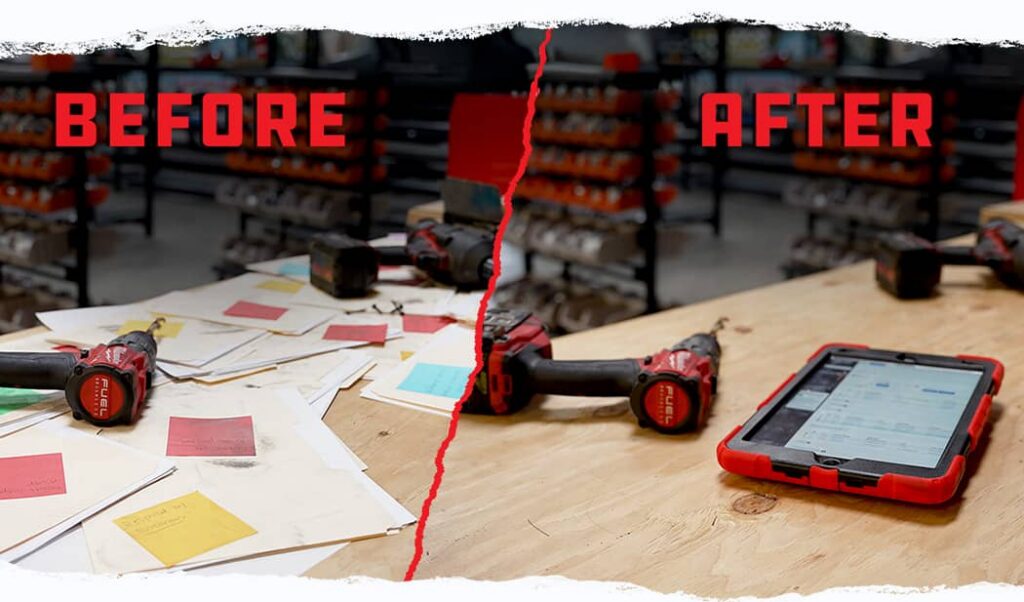
Before: A shop manager, let’s call him Mike, has a truck come in for a PM. He writes a paper estimate, the customer approves, and the tech starts working. Halfway through, the tech finds a cracked brake drum. Mike has to stop, find the customer’s phone number, call them, leave a voicemail, wait for a callback, write a new estimate by hand, and then update the work order. The tech sits idle for the better part of an hour while the customer gets more frustrated and Mike gets more stressed.
After: Mike uses shop management software that is built to handle change orders. The tech flags the cracked drum in the system. Mike adds a new action item to the existing service order, picks the part from inventory (which shows current stock levels), and sends the customer an authorization request through the Customer Portal to approve the added work. The customer approves in two minutes. The tech sees the updated work order on their screen right away, and the parts manager sees the part set aside for the job. Total time lost: a few minutes rather than a few hours. The customer is satisfied, and so is Mike.
That’s the difference between a shop that fights change orders and one that handles them. Handling them well can mean more hours billed, less downtime, and happier customers.
Common Myths About Shop Management Software
Myth 1: “It’s too expensive for my shop size.”
The cost of not having good software is hidden in lost hours, missed billings, and lost customers. Many systems, including Fullbay, offer plans that scale from one-person shops to multi-location operations. The real question isn’t “Can I afford it?” but “Can I afford the chaos of not having it?”
Myth 2: “My techs won’t use it.”
Techs would rather be turning wrenches than typing. But they do want to know what parts are coming and what the expected hours are. A system that shows them that, without adding paperwork, is far more likely to get used. Look for software that’s built for the bay, not just the back office.
Myth 3: “All software is the same, so just pick the cheapest.”
This one costs the most. Software made for passenger-car repair isn’t built for heavy-duty work. The labor times, the parts, and the workflow are different. The cheapest option often can’t keep up with a busy heavy-duty shop.
What Separates the Best Heavy-Duty Shop Management Software
The next time you’re evaluating shop management software, don’t stop at the feature checklist. The real test is how the software handles the unexpected: the mid-job change order, the backordered part, the customer who needs a revised estimate right now.
The right system turns change orders from a headache into just another part of the job. Your techs keep working, your parts manager keeps tracking, and your customers stay informed, without the phone tag or a re-written work order.
That’s where Fullbay comes in. Fullbay is built specifically for diesel shops. You can add action items to the same service order, text customers a link to approve the revised estimate in their Customer Portal, and set Fullbay to require reauthorization when the total goes past what they approved. Parts and inventory update as the job changes, and your whole team can work from any phone, tablet, or computer.
FAQs
Q: Does shop management software really save enough time to justify the cost?
A: Yes, if it’s the right software. The time saved comes from eliminating manual processes like re-writing estimates, playing phone tag with customers, and chasing parts. For many shops, that savings adds up to meaningful billable time recovered across the team every day.
Q: How long does it take to train a shop team on new software?
A: It varies, depending on your shop’s size and proficiency. Look for a vendor that offers onboarding support and training, not just a login. Fullbay offers support and Fullbay Learn, a training program with courses for every role in your shop.
Q: Can I integrate shop management software with QuickBooks®?
A: Many heavy-duty systems, including Fullbay, offer direct integration with QuickBooks®. This reduces double entry and helps keep your financial records in sync.
Q: What if I only have 2-3 techs? Is there software for small shops?
A: Absolutely. The best systems scale to fit your shop size, so a small shop can start with what it needs and move up as it grows while also supporting shops that jump in with multiple locations.
Q: How does software handle changes when a customer adds work mid-repair?
A: This is an important question to ask. The right software will let you add action items, adjust parts, recalculate the total, and send the revised estimate to the customer for authorization, all within the same service order and without starting over.
Ready to see how Fullbay handles changes in real time? Schedule a demo tailored to your shop and bring your toughest scenario. We’ll walk through it with you.

Get news & tips right in your inbox.