How To Boost Technician Productivity with Real-Time Performance Reporting
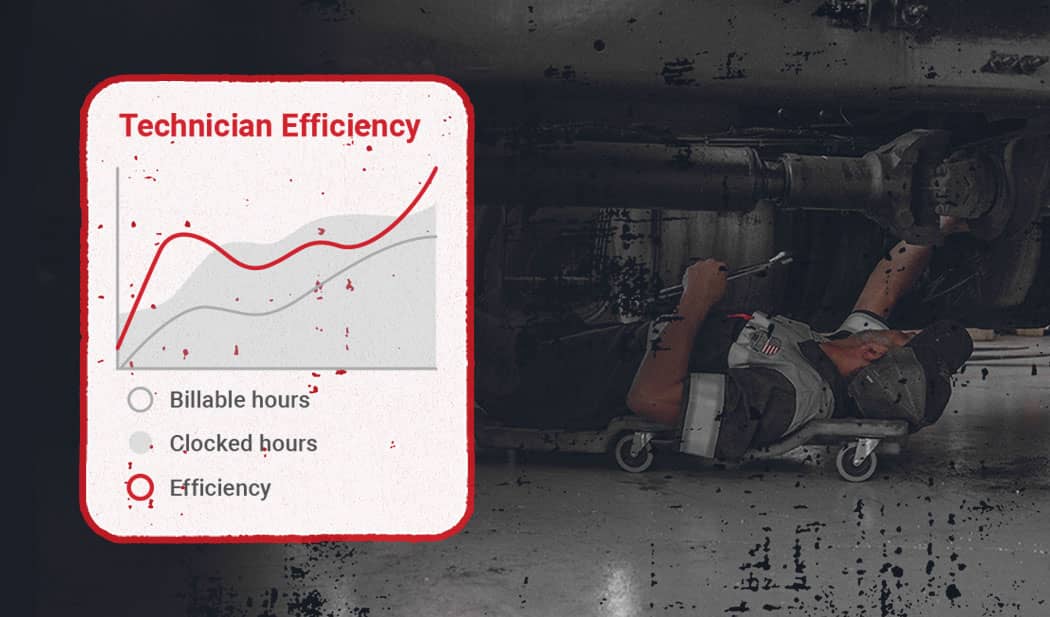
If you’re in charge of a heavy-duty repair shop, you’re probably not an elementary school student anymore. (And if you are an elementary schooler who’s running a shop, you should really talk to your parents about child labor laws.) Either way, there’s a good chance you’ve felt the anxiety that comes with waiting for report cards.
Fortunately, these days you don’t have to wait for updates on your shop’s performance. Real-time performance reporting lets you generate and analyze technician performance reports whenever you want!
Read on to learn how these reports can improve your shop’s tech productivity.
Why Real-Time Performance Reporting Matters
Having steady business at your shop is great…but when your workers are busy, they won’t have time to track data manually. That’s not a problem you can afford to ignore, either. Statistics like average repair time, tech utilization, and rework rates can give your shop the visibility and accountability it needs to improve its future performance.
The good news is that Fullbay makes data tracking easy for shops like yours. Our software automatically captures vital information on technician hours, efficiency, and productivity from your work orders. And since this information is presented in real time, you’ll always have access to the latest details on tech performance.
Enhancing Shop Visibility with Fullbay Reports
Putting Fullbay’s reporting features to use is as simple as bringing up the Technician Performance Dashboard. There, you’ll find up-to-date insights on your shop’s ongoing and completed jobs.
From this screen, you’ll get complete visibility into your shop’s open service orders, tech utilization, and billed vs. unbilled hours (that is, time spent working on vehicles vs. time spent on tasks that don’t directly generate revenue). You’ll also be able to spot bottlenecks right away, giving you a chance to avoid these issues by rebalancing staff workloads.
Driving Accountability Through Service Orders
Service orders play a big role in Fullbay’s reporting capabilities. In our software, these documents are linked to their relevant techs, parts, and labor hours.
When workers clock in and out from Fullbay itself, you’ll never have to worry about time log errors. You’ll also be able to compare estimated and actual repair times in Fullbay, making it easier to reduce idle time going forward.
Key Technician Performance Metrics
Fullbay helps shop managers keep an eye on data points like:
Productivity Metrics
Some of the most important metrics you can track with Fullbay are related to shop productivity. That includes:
- Billable efficiency. This percentage expresses the time your workers spend actively handling jobs, as compared to the total amount of time they spend at work.
- Total hours logged vs. hours billed. This stat is similar to billable efficiency, but it compares the actual number of billable hours your techs log to their total hours on the job.
- Jobs completed per week. Finally, this expresses the number of jobs your techs finish over the course of a work week.
Quality Control Metrics
In addition to the data points listed above, you can use Fullbay to monitor rework rates. If your shop is dealing with rejected jobs more often than usual in certain situations, this metric can help you spot and resolve the problem.
You can also use Fullbay to track tech compliance with digital inspection checklists. These checklists are a must while handling PMs, and your workers should follow them as closely as possible.
Efficiency Metrics
With Fullbay, you won’t just be able to track average repair times in your shop. Instead, you can break things down even further by finding your average repair times for different services. That way, you’ll know what tasks are being performed as intended…and what tasks need some extra attention.
Customer Satisfaction Metrics
Fullbay helps shop managers compare job completion rates to approval rates. Since successful jobs lead to happy customers, this can boost your shop’s overall customer satisfaction.
Along with that, Fullbay integrates the notes your customers leave in service orders. Thanks to that, you’ll have no trouble using this vital feedback.
Implementing Technician Performance Reports in Fullbay
Setting up tech performance reports in Fullbay is a breeze. To do this, follow these steps:
- Enable tech clock-in/clock-out. Before you can track techs’ billable hours in Fullbay, these workers need to be ready to clock in and out with this software.
- Assign service orders to techs. Once your techs are set up in the system, you’ll be able to match them with service orders for the jobs they’re working on.
- Generate insights. Open the “Reporting” tab and choose “Technician Performance Report.”
- Schedule recurring reports. Setting up weekly or monthly reviews can make it even easier to prepare for recurring review meetings.
To get the most out of your reports, make a point of following best practices like:
- Reviewing your metrics weekly. That way, you’ll be able to catch declines in billed hours, recurring rework, and other concerning trends ASAP.
- Asking your techs to add notes/photos to service orders. This information will provide valuable context while you’re analyzing your shop’s status.
- Using Fullbay away from dedicated terminals. Since our software is cloud-based, your techs will always be able to access it through phones and tablets.
- Acting on the report results. Pairing trainees with seasoned techs, using incentive programs to improve on your shop’s weaknesses, and redistributing workloads based on utilization rates are all good ways to improve your performance data.
The Future of Technician Performance Reporting
By now, you should have a handle on modern performance reporting, but there’s still more to learn about this topic. That’s right: we’re going back to the future of reporting in heavy-duty shops (cue “The Power of Love”).
As you might expect based on the current state of every other industry, artificial intelligence is the next big thing in technician reporting. Fullbay is already taking advantage of this technology with shiny new AI features like:
- Automated Service Order (SO). What if your staff members didn’t have to create service orders on their own! That sentence was supposed to end in a question mark, but we’re leaving the exclamation point because we’re just that excited about our Automated SO. This feature uses your PM schedules to generate SOs for items that need to be handled within 10 days — no manual involvement required.
- Tech Notes Cleanup. When your techs write down notes on the job, they probably aren’t thinking about readability. Now, Fullbay’s software can edit these notes for improved clarity and professionalism.
- Voice-to-Text. Techs are always busy, so it can be hard for them to take time to add notes to service orders. But with our Voice-to-Text feature, your workers can now use voice dictation on SOs.
These features have one thing in common (the fact that they use AI doesn’t count): they can all increase your shop’s efficiency. And when your techs can waste less time on the job while reducing paperwork by 20%, your shop’s productivity will improve.
Improve Your Tech Productivity with Fullbay
You’ve made it to the last section of this blog! Here’s your end-of-article report card:
- PERFORMANCE REPORTING 101: A
- REAL-TIME REPORTING AND PRODUCTIVITY: A
- THE ROLE OF AI IN REPORTING SOFTWARE: A
- GYM: F
Sorry about that last one — you were supposed to do 10 push-ups while reading the article. But everything else looks great, so you’re ready to start using real-time technician performance reports in your shop.
Fullbay’s up-to-the-minute reporting capabilities, wide range of metrics, and powerful AI features make it the best choice for shops looking to improve their tech productivity. If you’d like to learn more about our software, schedule a free demo today!

Get news & tips Right in your inbox.