
One-Man Band: Running a Solo Repair Business
Key Takeaway
The biggest threat to a solo shop’s cash flow isn’t the workload — it’s what happens after the job’s done. Slow invoicing, missed calls, and no visibility into open jobs cost you money every week. Fixing that gap matters more than working more hours.
Gather around, friends, for we have a secret to tell you:
Running a one-person repair shop often means you’re doing two jobs.
You’re fixing the equipment and running the business. Which in itself tends to mean you’re wearing a lot of hats; you’re the technician, but also the service writer, the parts manager, the parts runner, the dispatcher, the bookkeeper, the customer service rep, and oh, yeah, someone has to make the coffee, too.
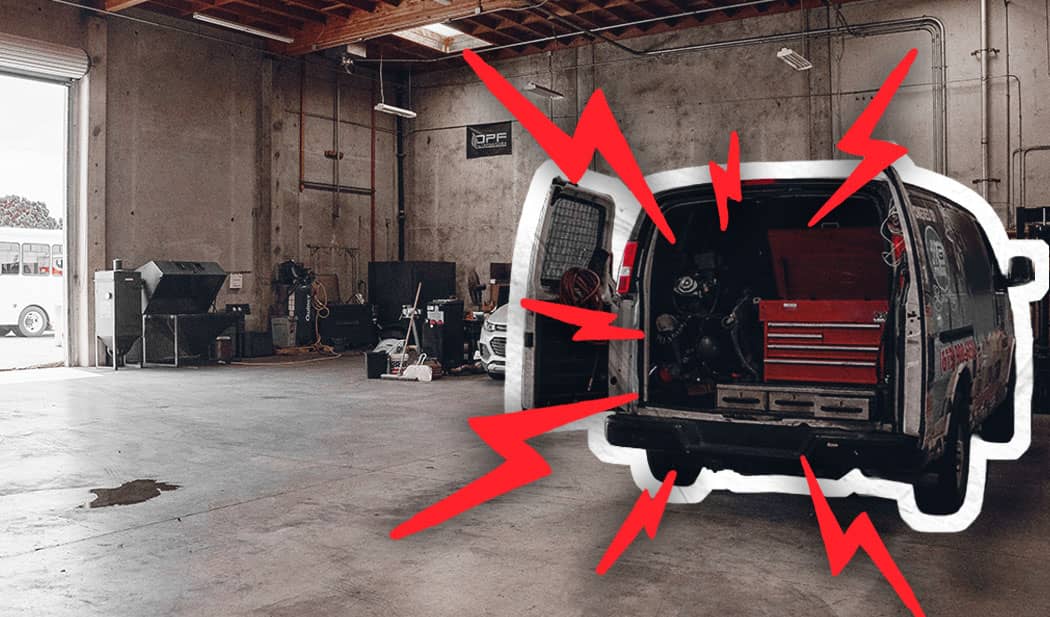
If you’re a mobile shop, take all that and add working in horrible weather or in the bottom of a gravel pit. Sometimes you’re pulled over on the freeway in the snow while people distracted by their phones hurtle past you.
It can be a very rewarding job, but it’s a tough one, too.
We’ve talked to several one-man operations over the last few years. While there’s no single shared “THIS WILL MAKE YOU A RAGING SUCCESS” blueprint, their experiences reveal pretty consistent challenges, from paperwork and drive time to keeping track of the whole operation.
So, here’s a few things to keep in mind if you want to take this gig on the road. And because we are who we are, we’ll also shamelessly point out where Fullbay Next can help lighten the load.
The Work Doesn’t End When The Repair Does
Let’s say you fix a truck at four. Great! Job done, end of story, right? Nah, man. You still have to collect payment. For a mobile repair owner, that can turn into an exhausting jaunt down memory lane as you try to remember what you did, what parts you used, how much they cost, and so on. That often involves a bunch of proofreading of notes, followed by an hour or so of making them legible.
Got the invoice? Awesome. Now you have to send it and update your accounting and so on. It’s a whole other job after you do your actual job. What the heck.
Well, folks, we built Fullbay Next to handle that second part of the job while the details are still lodged in your brain instead of trying to reconstruct everything hours or even days later:
- It’s mobile-optimized across every screen. You don’t have to wait until you’re back at a desk to actually start in on the write-up.
- Voice-to-text speeds up note-taking x1000. Hey, who needs to actually write it up, are we right? Fullbay AI even cleans them up so they’re nice and tidy for a customer to review. (OK, our lawyers are telling us “x1000” is in fact too hyperbolic for them, and we need to just say it speeds up note-taking.)
- Your camera can do some of the data entry. Snap a photo of a receipt or component and Fullbay AI can help identify it, document it, or add the information to the job.
Remember That Drive Time Can Eat Into Your Day
It is a tragic and exhausting fact that we all only have 24 hours in a day. If you’re a mobile operator, that means drive time can eat into both the number of jobs you can take and how much time you get to spend wooing customers.
Acknowledge this. Set a radius for yourself and build out drive times within that radius that include traffic and/or weather (if you have those things in your area).
Someone Needs To Answer The Phone
Pitfalls of working alone: when you’re out wrenching, you’re not answering the phone. And, um, neither is anyone else, usually. If you end up letting that call go to voicemail, you risk the potential customer just moving on to the next shop on their list.
Fullbay’s AI receptionist — the fabulous Claudia — gives the one-man band an official roadie. Er, we mean front office coverage. Claudia can answer the calls you can’t get to — like when you’re on top of a fire truck or attempting to catch some Zzzs — and respond to questions like hours, services, pricing, or even your mobile service radius. You’ll set her up with that information, and she will also capture the caller’s name, number, and vehicle. She’ll send you that information in an email summary afterward so you can follow up when you have time.
Making The Repair Doesn’t Always Mean Getting Paid
The one-man band often does not have any accounts receivable person. Maybe the spouse is handling a little bookkeeping in the background; usually it’s just the owner and maybe the family pet sitting down to crunch numbers at the end of the day. Or the day after that. Or maybe the next day…
“I’ll invoice them tomorrow” often turns into invoicing that occurs weeks or even months later. This is great for the customer, because they got their truck fixed and don’t need to pay anything. This is not great for you, because when this happens you are basically financing them.
We shall repeat: When you hold off on invoicing, you are financing the customer.
And if you’re waiting for days or weeks to get your invoices out, that increases the chances of leaving something off. Something like parts pricing, or labor. You know, the stuff you should be charging for but now aren’t.
It’s not great for the cash flow.
Allow Fullbay Next to be of service here, too.
Once the work is complete, you can preview the invoice before creating the permanent record, giving you a chance to catch a forgotten part, missing labor, or some other similar horror while the job is still fresh in your mind. Then you can send it to the customer before you leave the site instead of adding it to the “I’ll get to it eventually” paperwork pile.
The customer can then access the invoice through Fullbay’s Customer Portal and information flows into QuickBooksⓇ Online without being entered all over again.
Fewer administrative steps between “job done” and “invoice sent” means less work waiting for you when you finally get home (and likely a slightly steadier cash flow).
You Need To See The Entire Picture
One of the most aggravating things about running a business — besides taxes, anyway — is figuring out how your business is doing and what you’ve got going on.
One of the most aggravating things about running a business — besides taxes, anyway — is figuring out how your business is doing and what you’ve got going on.
This seems like it should be incredibly easy, but often it’s not. You might have three open jobs, two waiting estimates, a truck that needs a part, and two customers who haven’t paid. You need to know about all of this, and work out what to handle first, without jumping between screens and losing your mind.
Hold on to your hats (all dozen of them) because Fullbay Next can come to the rescue there, too. It gives you:
- The Shop Overview Dashboard that really pulls together the business side, showing you revenue invoiced, hours billed, open invoices, vendors you owe, and other key information.
- A kanban board viewing option that shows you every open work order and where it stands, whether it’s to-do, in progress, or invoiced. Just glance at it to get an overview of every job in progress.
Bam! The information you need when you need it, with less clicking around and way less keeping everything in your head.
Did we mention it loads hella fast? Because it is.
You Don’t Need A Big Team To Run A Good Business
There’s a lot of perks to running a one-person repair operation, but taking on all the administrative burden isn’t one of them. That’s why we built Fullbay Next: to help take some of that administrative burden off your shoulders, like answering the phone, documenting repairs, and getting invoices sent out.
Want to know what it feels like to wear fewer hats? Go ahead and set up a free demo. We can’t wait to show you what we can do.


Get news & tips right in your inbox.
