
STOP LOSING JOBS TO MISSED CALLS.
GET 1-2 NEW CUSTOMERS A WEEK!Fullbay's AI Receptionist answers when you can't and captures every call instead of losing it.
>>> Special Offer: Sign up for Claudia for FREE in October and we'll waive the cost on your next bill! GET A FREE DEMO

WHAT DOES FULLBAY'S AI RECEPTIONIST DO?
 Answers when you can't. Overflow during the rush, after close, weekends — Claudia picks up so callers get a real conversation, not a voicemail dead end.
Knows your shop. Configured with your hours, services, pricing, and FAQs. Callers get accurate answers on the first call — no phone tag.
Captures Every Lead. Name, phone number, vehicle — every time. Your team gets a full call summary by email, ready for follow-up.
Lives in Fullbay. No new vendor, no new login. The AI Receptionist is part of the platform you already run your shop on.
Answers when you can't. Overflow during the rush, after close, weekends — Claudia picks up so callers get a real conversation, not a voicemail dead end.
Knows your shop. Configured with your hours, services, pricing, and FAQs. Callers get accurate answers on the first call — no phone tag.
Captures Every Lead. Name, phone number, vehicle — every time. Your team gets a full call summary by email, ready for follow-up.
Lives in Fullbay. No new vendor, no new login. The AI Receptionist is part of the platform you already run your shop on.
WHAT ARE MISSED CALLS COSTING YOU?
Every shop is different. Your potential results depend on factors like call volume and average order value.Use the Fullbay Claudia ROI Calculator to estimate how much additional revenue Claudia can recover.
Revenue Claudia Could Recover
$8,450/mo
$101,400/year · about 13 more jobs a month
See how one shop is getting 1-2 new customers a week with Claudia!
VIEW CASE STUDY
BUILT FOR SHOPS LIKE YOURS.

SOLO OPERATORS
and owner-operators who can't answer the phone mid-repair — Claudia covers the front office so you stay on the job.
SMALL SHOPS
without dedicated office staff — front-office coverage at a usage-based cost, no hire required.
LARGE SHOPS
with high call volume — absorb overflow and after-hours calls without adding headcount ahead of demand.HOW DO I SET UP THE FREE TRIAL?
STEP 1: Turn it on
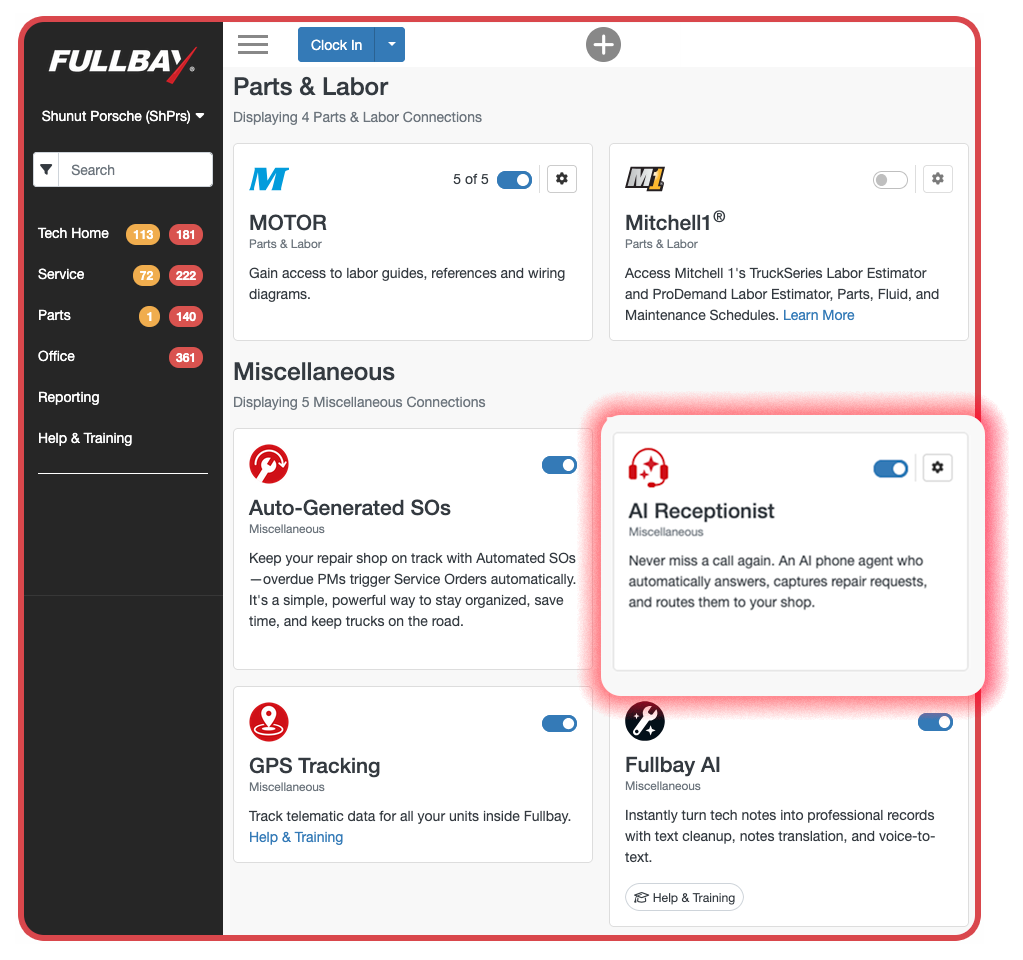
Go to the Integrations page and toggle on the AI Receptionist (Claudia). Sign up anytime in October and it's free—no charge when you turn it on.
STEP 2: Set it up
Configure Claudia with your shop's hours, services, pricing, and FAQs so it can start handling calls the way you want and set up call forwarding to the phone system you want calls sent to.
STEP 3: Your free period
Your first billing cycle is free. Starting with your next regular billing date after that, you'll be charged $99/month.

Frequently asked questions
How much does the AI Receptionist cost?
Claudia is free if you sign up in October. We'll waive the $99 charge on your first bill after signup. After that, it's $99/month.
Is the AI Receptionist really free?
Yes. Any customer who signs up for Claudia in October gets it free until their first charge. That charge lands on the first billing date at least 30 days after signup, so you're guaranteed at least a full free period before anything's charged.
How do I get started with the free trial?
To get started, toggle on the AI Receptionist card on the Integrations page in Fullbay and agree to the terms of service. Once it's on, you'll still need to complete the setup—adding your shop's hours, services, pricing, and FAQs—so Claudia can represent your shop well on every call. For step-by-step instructions, see our Help & Training article.
What happens after the free 30 days?
If you toggled on the AI Receptionist, you can cancel anytime during the 30-day free period at no cost. If you don't cancel, your first billing charge will begin at the start of the next billing cycle after the promotional period ends, per the terms you agreed to when activating.
For monthly subscriptions: I don't want to be moved to a paid subscription after the 30-day trial—how do I opt out?
You can turn off the AI Receptionist any time from the integration card in Fullbay, whether during the trial or after. If you turn it off during your promotional period, you will not be charged the $99/month subscription fee.
I am on an annual contract, how do I cancel the AI Receptionist after the promotional period?
You'll need to contact our support team to cancel the AI Receptionist add-on. This can't be disabled on your own from your account. You can email them at support@fullbay.com.
Is this replacing my office manager?
Not at all — Claudia handles the calls your team can't get to: overflow during the rush and everything after close. If you don't have front-office staff, Claudia gives you that coverage without a hire. If you do, she's backup, not a replacement.
How does Claudia know what to say about my shop?
You configure the AI receptionist with your shop's hours, services, pricing, and FAQs, and Claudia talks naturally with callers using that information. She represents your shop the way you'd want — accurate answers, professional tone, every call.
What happens after Claudia takes a call?
She captures the caller's name, phone number, and vehicle before wrapping up, and your shop gets a full summary of the call by email. Your team follows up with complete information instead of a voicemail guessing game.
What if a caller asks something Claudia doesn't know?
Claudia sticks to what your shop has configured — she won't make up answers. She captures the caller's details and the question so your team can follow up directly, and every call is summarized in the email so nothing gets lost.
How is this different from an answering service or a standalone AI answering tool?
Answering services take messages. Claudia knows your shop. She's configured with your actual hours, services, and pricing, lives inside the platform you already run your shop on, and delivers structured lead details — name, number, vehicle — straight to your inbox. No extra vendor, no extra login.
Can Claudia schedule appointments or create service orders?
At launch, Claudia focuses on answering calls, handling shop questions, and capturing lead details with a full email summary. We have big plans for Claudia in the future—stay tuned!
Do I need a special phone system to use the AI Receptionist?
Nope. Claudia works whether you're a one-person shop running everything off a cell phone or a larger operation on a full VoIP system. If you're using a cell phone, it's as simple as setting up call forwarding — a few quick steps and you're done. If you've got a shop VoIP system, you can forward your shop number to Claudia the same way. Either way, you decide which calls she answers — overflow during the rush, after-hours, or every call that comes in. For instructions on how to set up call forwarding, please visit our Help & Training article.