Warranty Claims Management: How Smart Shops Recover Lost Revenue

Key Takeaways

- Warranty recovery is a process and negotiation problem, not just a paperwork problem. Many denials come down to missing information or no pushback, not the repair itself.
- Document every warranty-eligible job with complaint, cause, and correction, plus photos, before the vehicle leaves the bay.
- Know each OEM’s labor rate and time allowance caps ahead of time so you know exactly what to ask for when you submit.
- A denial isn’t the end of the conversation. Call the warranty administrator, ask for the specific reason, and push back with your documentation.
- Software won’t negotiate for you, but the right shop management system gives you the documents and data you need to to help make your case.
Warranty work often feels like a tax on doing business.
You fix the truck, document the failure, and then submit the claim. And then you wait… only to get back a check for half of what you spent, or a denial letter citing “insufficient documentation.” It’s frustrating, and it eats into your bottom line month after month.
But warranty recovery doesn’t have to be a loss. A lot of that money is already yours. You just have to collect it.
The difference between shops that treat warranty as a chore and shops that treat it as a revenue stream comes down to three things: a repeatable process, a willingness to push back, and shop software that keeps your records straight.
This post covers how to document warranty jobs, know your OEM’s limits, and push back on denials, plus what to look for in your shop software so you can recover more of what you’re owed.
What Unclaimed Warranty Work Costs Your Shop
Say your shop does $20,000 a month in warranty-eligible work: parts and labor on units still under manufacturer coverage.
Now say you only collect 70% of it.
That’s $6,000 a month, or $72,000 a year, that you already earned and didn’t collect. That could be a new toolbox, a technician’s bonus, or a down payment on a service truck.
Manual processes, lost paperwork, missing photos, and incomplete service orders all contribute to denials. And when the manufacturer says “no,” many shops just shrug and write it off.
But you don’t have to.
Where Warranty Dollars Get Lost
It’s not just paperwork. It’s negotiation.
Some of the most common mistakes in heavy-duty repair shops aren’t about the repair itself. They’re gaps in process and follow-up:
- Submitting incomplete claims. Missing the complaint, the cause, or the correction. Manufacturers need the full story, and if you don’t give it to them, they’ll deny it.
- Not understanding manufacturer rate caps. Every OEM has a maximum labor rate and a maximum time allowance for a given operation. If you don’t know those numbers, you’re guessing, and guessing usually means underpayment.
- Accepting the first denial as final. This is the biggest one. A denial isn’t a dead end. It’s an invitation to negotiate. But many shops are too busy to pick up the phone and push back.
Whoever handles warranty claims in your shop needs to push back the way a good service writer sells a job. That takes training, confidence, and, most of all, data.
What Actually Works
No software will fix warranty recovery on its own. It takes a consistent process and a willingness to negotiate.
Here’s a three-step framework to start with:
1. Capture It Right the First Time
Every service order, even the ones you’re not sure are warranty, needs the complaint, cause, and correction written up.
- Complaint: What did the driver say? (“Truck won’t start.”)
- Cause: What did the technician find? (“Faulty starter solenoid.”)
- Correction: What did you do? (“Replaced starter assembly.”)
Don’t wait until after the job is done to fill this in. Build it into your workflow so the details get written down while they’re fresh.
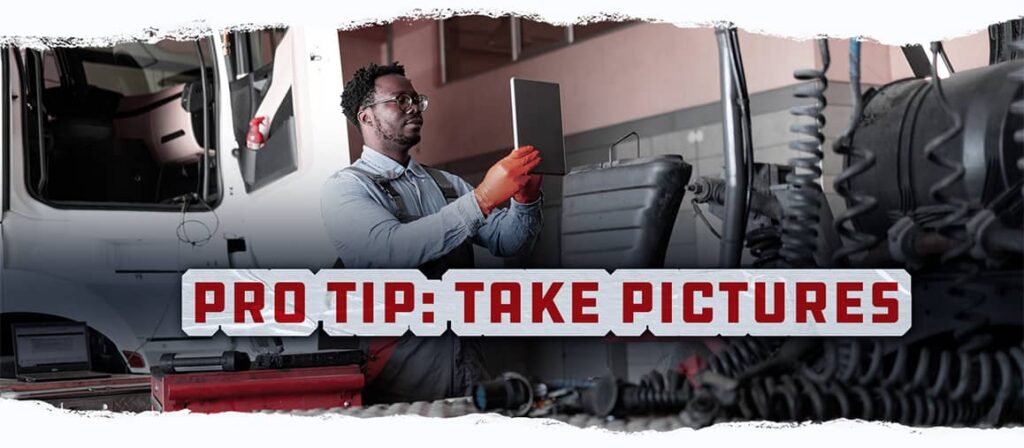
Pro tip: Take photos. A photo of a cracked housing or a worn part can settle a dispute fast.
2. Know Your Manufacturer Rules
Every OEM has a published warranty policy. It tells you:
- What labor rate they’ll pay (e.g., $110/hour)
- What time allowance they’ll pay for a given operation (e.g., 2.5 hours for a water pump replacement)
- What parts markup they allow (if any)
Build a reference sheet for the top five manufacturers you deal with. Keep it posted in the office. When you submit a claim, you should already know exactly what the maximum payout is, so you can ask for it.
3. Negotiate Every Denial
This is where the money gets recovered.
When a claim is denied, don’t just accept the loss. Call the OEM’s warranty administrator. Ask for the specific reason. Then push back with your data.
- “Your denial says ‘insufficient documentation.’ I have the service order with complaint, cause, and correction, plus photos. Can I email them to you right now?”
- “Your policy allows 2.5 hours for this operation, but my technician clocked 3.2, and I have the time records and repair notes to back that up. Can we review the documentation and adjust for the actual time it took?”
Shops that push back with their documentation and clocked-time data instead of accepting the first “no” often recover money they’d otherwise write off.
How Shop Management Software Helps (and What It Can’t Do)
Software won’t call the manufacturer for you. It won’t negotiate a rate cap or fix a bad relationship with an OEM.
But what the right shop management software will do is give you the records you need to make your case.
Here’s what to look for in a platform:
- Service orders with complaint, cause, and correction fields. Your techs can record the full story on the job, and the notes stay with the service order.
- Service history tied to each unit. When the manufacturer says “that operation should only take 2 hours,” you can show the past repairs, parts, and labor on that exact unit.
- Reports you can pull and share. Look for records you can print, export, or send with a claim without an hour of reformatting.
- Technician time tracking tied to the service order. This may be your strongest evidence in a time-allowance dispute. If your tech clocked 3.5 hours and the manufacturer allowed 2.5, you have a clear case to ask for an adjustment.
With Fullbay, the complaint, cause, and correction live on the service order, along with your techs’ notes, photos, and clocked time. When a claim gets questioned, you’re not digging through a file cabinet or someone’s phone.
What This Looks Like in Practice
Here’s a hypothetical shop.
A mid-sized independent shop was getting paid on far fewer warranty claims than it should have been. Every month, eligible revenue went unclaimed.
Before they tightened up their process, their workflow looked like this:
- Service orders were hand-written.
- Photos were stored on a technician’s phone (if they remembered to take them).
- Claims were submitted from memory, often missing key details.
- Denials were ignored.
After they put a consistent process in place and started attaching service orders, photos, and clocked time to every claim, fewer claims were denied and more denials were overturned.
The takeaway: good records gave them the proof to win claims they used to write off.
Three Steps You Can Take This Week
You don’t need to overhaul your entire operation to start recovering warranty revenue. Here are three things you can do this week:
- Audit your last 10 warranty jobs. How much was denied vs. paid? What was the reason for the denial? Patterns will show you where the money is going.
- Make a warranty checklist. Before any warranty job closes, check that the service order has the complaint, cause, and correction filled in, the photos attached, and the clocked time recorded. Make it a shop rule: no documentation, no closing the job.
- Designate one person as the warranty lead. Train them on negotiation. Give them a script. Empower them to call the manufacturer and push back on denials. This doesn’t have to be the owner. It can be your service writer or your office manager. But it needs to be someone who cares about recovering that revenue.

Stop Writing Off Warranty Work
Software won’t win your warranty claims for you, but it can keep your proof in one place.
Without documentation, clocked time, and service history, you’re negotiating from memory. With a solid process and records you can pull up when you need them, you can turn more of that warranty work into paid work.
FAQs
Q: What percentage of warranty claims are typically denied in heavy-duty repair?
A: Denial rates vary widely from shop to shop and manufacturer to manufacturer. Common reasons include incomplete documentation, missing photos, and time or rate requests above the OEM’s caps.
Q: Can warranty claims be submitted after the job is complete?
A: Yes, but the window varies by manufacturer, so check each OEM’s policy. The longer you wait, the harder it is to recover documentation and photos. Submit as soon as the job is closed.
Q: How do manufacturer rate caps affect my claim recovery?
A: Rate caps limit the labor rate and time allowance the manufacturer will pay. If your shop rate is higher than the cap, you’ll take a loss on labor unless you negotiate for an exception based on actual technician time.
Q: Should I charge the customer first and then deal with the warranty claim later?
A: Many OEMs require approval before work starts, so check the policy first. Getting authorization up front means you know what will be covered, and your customer isn’t stuck waiting on a reimbursement.
Q: What role does documentation (photos, service orders) play in winning a dispute?
A: It matters more than anything else you submit. A denial for “insufficient documentation” is much easier to overturn when you have a complete service order and clear photos. Without them, you have a hard case to make.
Q: Is it worth hiring a dedicated warranty administrator for a small shop?
A: For some shops, having an administrator or a trained service writer focus on warranty recovery makes sense. For others, building it into your existing workflow is enough. The important thing is that someone owns it.
Want to see how Fullbay keeps your warranty paperwork in one place? Schedule a walkthrough with our team. We’ll show you how service orders, photos, clocked time, and unit history work together.

Get news & tips right in your inbox.