Diesel Goes Digital 3: How Built-In AI Benefits Your Shop
Summary
AI in heavy-duty repair is moving from a separate tool shops have to seek out to something built directly into the software they already use. Here’s how embedded AI can reduce busywork, fit naturally into repair workflows, and still keep the humans firmly in charge.
You’ll learn:
- How built-in AI can reduce copying, pasting, and app-switching.
- Why embedded AI can be easier to use than standalone tools.
- How Fullbay Next brings AI directly into commercial repair workflows.
- Why human oversight still matters.
Remember when we first started talking about AI? It felt like forever ago. Actually, it was a whole year ago. Back then, we mostly discussed large language models (LLMs) and how they might be useful for commercial repair shops, provided they were used correctly and had human oversight.
What a difference a year makes!
Back then, working with an LLM meant introducing a whole other tool into your workflow. It meant going back and forth and copying and pasting stuff twice, at the very least — sometimes multiple times. You’re essentially exporting and re-importing information. What does that lead to? More time gobbled down. Greater potential for error if you paste something into the wrong field, or copy the entry incompletely. When you think about it, it’s kind of an inefficient way to run a tool meant to increase efficiency.
It begs the question: is there another way?
We wrote this borderline shameless article to find out.
What If AI Is Built In?
So, what does life look like if your AI is part of the software you’re already using?
For starters, there’s no need to copy things back and forth between your shop software and an LLM. Think about what you might use the AI for: cleaning up notes, uploading reports, asking it to smooth out a not-very-nice email. When software is designed around AI from the start, you’re no longer bouncing between tabs or applications; the information is already right there where the work is happening. The time savings on any one task may be extensive or barely noticeable, but repeat that task dozens of times a week, and those saved minutes start adding up. You’re also looking at a reduction in the time spent copying and pasting data between platforms, which in turn is going to reduce the errors associated with all that app-jumping.
Short version: more time back in your hands. We dig it.
Work Happens Behind the Scenes
There’s another advantage here: you don’t have to become an AI expert just to use the AI. Regular LLMs generally require some amount of prompting. You have to tell them what you want, provide some background, and sometimes rephrase the request if it misunderstands you. When AI is built around a specific task, however, a lot of that work can happen behind the scenes. Instead of composing the perfect prompt to clean up a tech note, for example, you can push a button and the note will magically clean up itself. The AI already understands the assignment (sorry, that’s internet slang for knows what job it’s supposed to do).

That may sound small, but it matters. The easier a tool slots into an existing process, the more likely people are to actually use it, and the less time they have to spend learning an entirely new way of working.
Look, none of this means every button in your software suddenly needs AI attached to it. There are plenty of jobs a normal piece of software handles perfectly well! The value AI brings is that it can remove some repetitive work, or help someone get from Point A to Point B faster.
Fullbay Next Is Built With AI
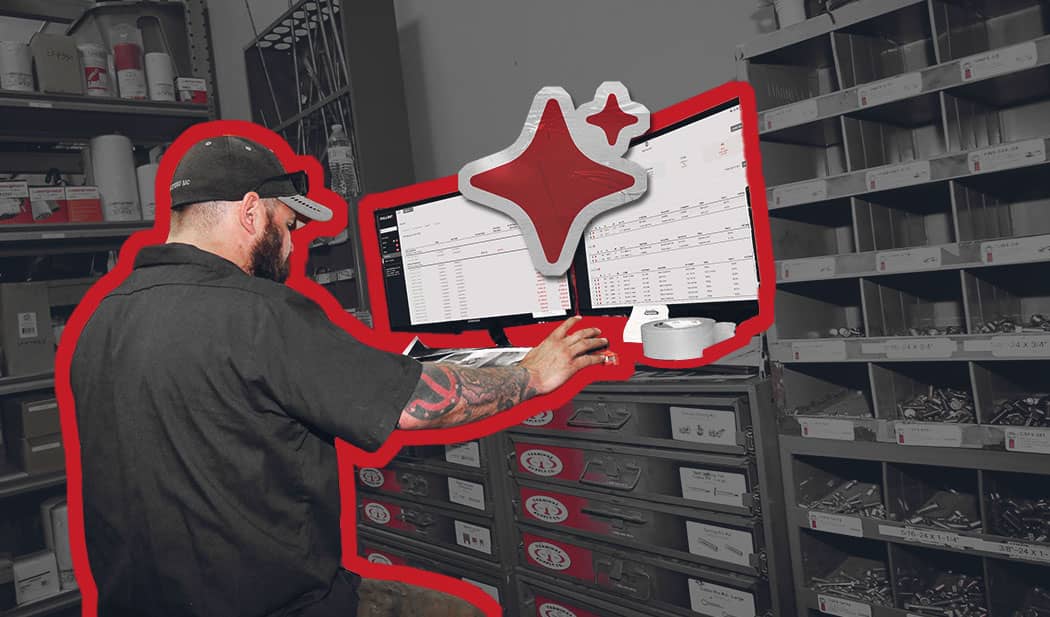
Fullbay Next is AI-native. That means the AI is inside the platform. Its AI-powered features live directly inside the workflows people already use instead of awkwardly bolted on later. In practice, this looks like AI handling specific tasks within the workflow — cleaning up tech notes, for example, or interpreting images. It can also organize information.
Tech Notes Cleanup
Here, let’s talk about a task a lot of Fullbay shops have already used AI to help with: technician notes.
If you’re using a standalone LLM, a tech or service advisor might write the notes, open another program, copy and paste them in, ask the AI to clean them up, review the result, and then paste the finished version back into the work order. It works, but it takes time.
Now…if that AI is woven into the workflow, several of those steps disappear. The human still reviews the result — more on that in a bit — but they don’t have to drag the information between systems like a weird digital ferryman. A shop could end up saving several hours per week.
But note cleanup isn’t the only place built-in AI can help.
AI Image Scan
Take Fullbay Next’s image scan capabilities. Instead of manually typing out everything you might see in an image, AI can analyze the picture itself and help pull useful information into the workflow. That can give the person doing the work a faster starting point, particularly when there’s a lot to sort through.
And yes, the same rules we’ve been yammering about since part 1 of this series apply here: the AI’s interpretation is not automatically correct. If it identifies something in an image or suggests what might be going on, that does not mean you immediately add it to an estimate and send it off into the world. A tech or service advisor still needs to verify what they’re looking at and make the actual call.
Built-in AI can also help with something much less flashy but equally useful: organizing information. Repair work generates a lot of notes, photos, service history, parts information, customer details, and more. AI can help sort it all, including surfacing relevant pieces of info so a human doesn’t have to spend as much time digging through everything manually.
The Fullbay team has spent years working with commercial repair shops and learning where AI can actually make a useful difference. Just as importantly, they also learned where it isn’t particularly helpful. It is not repairing the truck. It’s also not deciding whether a repair is safe. It is not, in any way, shape, or form, replacing the tech, the service advisor, or the shop owner.
The humans are still doing the work and making the calls. AI just makes some of the steps around the work faster and easier.
Treat The AI Like A Trainee
Yes, AI can make the work go faster. But as that guy from Spider-Man said, Less busywork does not mean less oversight.
(Editor’s Note: The line is “With great power comes great responsibility,” but whatever.)
In an earlier article, we suggested people treat AI like a trainee. We stand by that. If AI cleans up a technician note, summarizes information, or helps with another part of the workflow, someone still needs to make sure it’s got things right. The technology can assist with the work, but like a talented apprentice, it needs someone making sure it’s right.
That becomes really important when the information affects a repair, an estimate, or anything safety-related. Tidying up the mysterious grammar choices of a technician is one thing. Changing the meaning of the note is quite another. If the original note says a component was inspected and the AI somehow turns that into the component being replaced…someone needs to catch it.
Built-in AI removes steps from the workflow. It does not remove accountability from the person doing the work.
And unfortunately, it can’t refill the coffee machine.
Yet.
And Now, A Shameless Conclusion
What else is there to know about AI in commercial repair shops? Lots. You could look into some additional uses over in this article, or see how other Fullbay customers (there’s quite a few!) have already benefitted from some of its AI tools.
Are you a small shop that is interested in seeing what embedded AI can do for you? We’ve got just the platform for you to try out. Learn more about Fullbay Next and give it a whirl if you’re so inclined. The future is waiting!


Get news & tips right in your inbox.